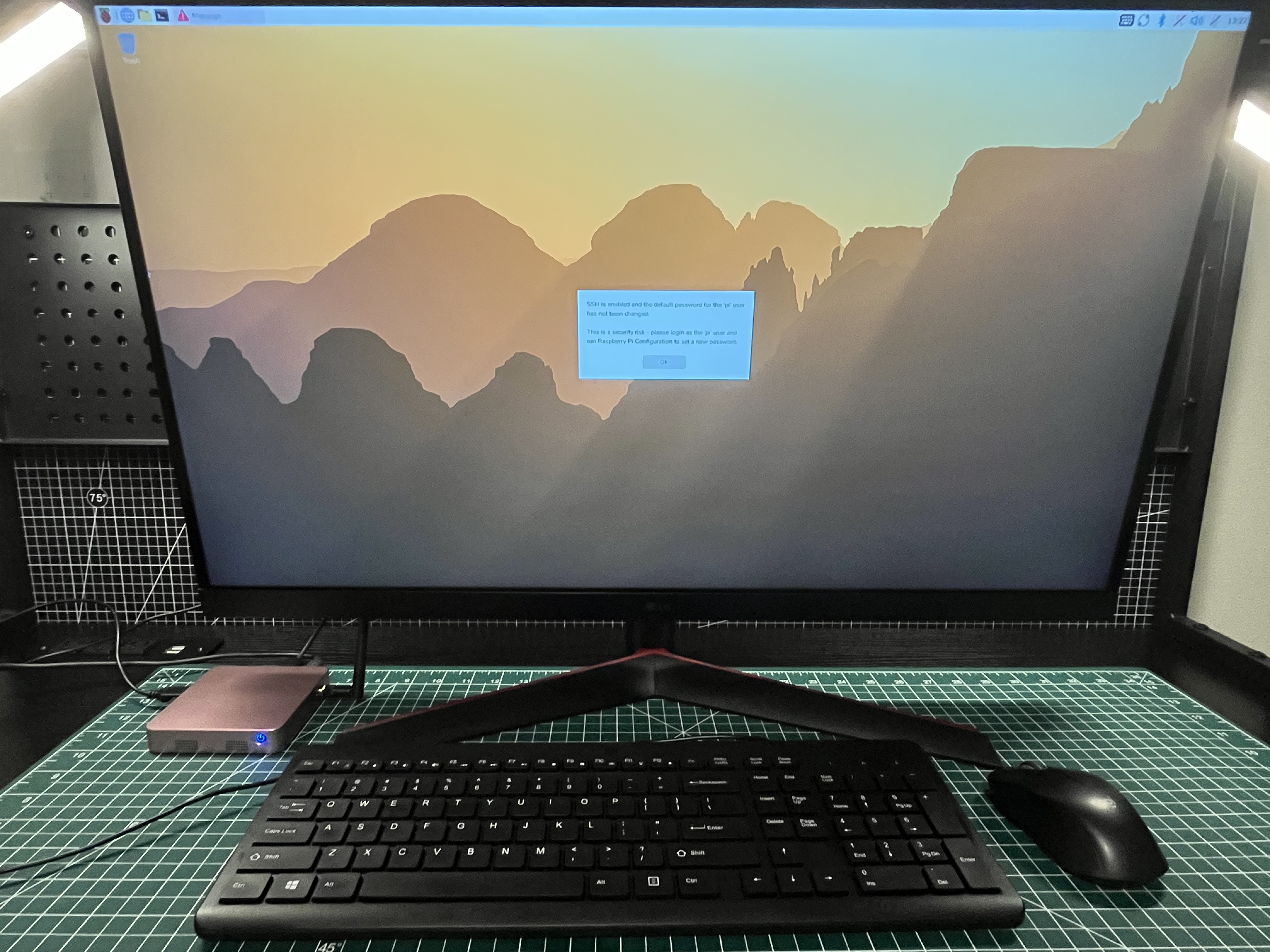
The ED-CLAWBOX arrives with an unusually specific promise: a small Raspberry Pi computer prepared for running an always-on AI agent. That makes the ED-CLAWBOX more than a conventional Raspberry Pi mini PC, but it also gives us more to evaluate than whether the system boots successfully.
For this first pass, we are starting with the basics. What is in the box? What does the hardware feel like? How much setup stands between unpacking it and reaching a usable desktop? Those details help determine how practical the system is in everyday use.
How the hardware fits together
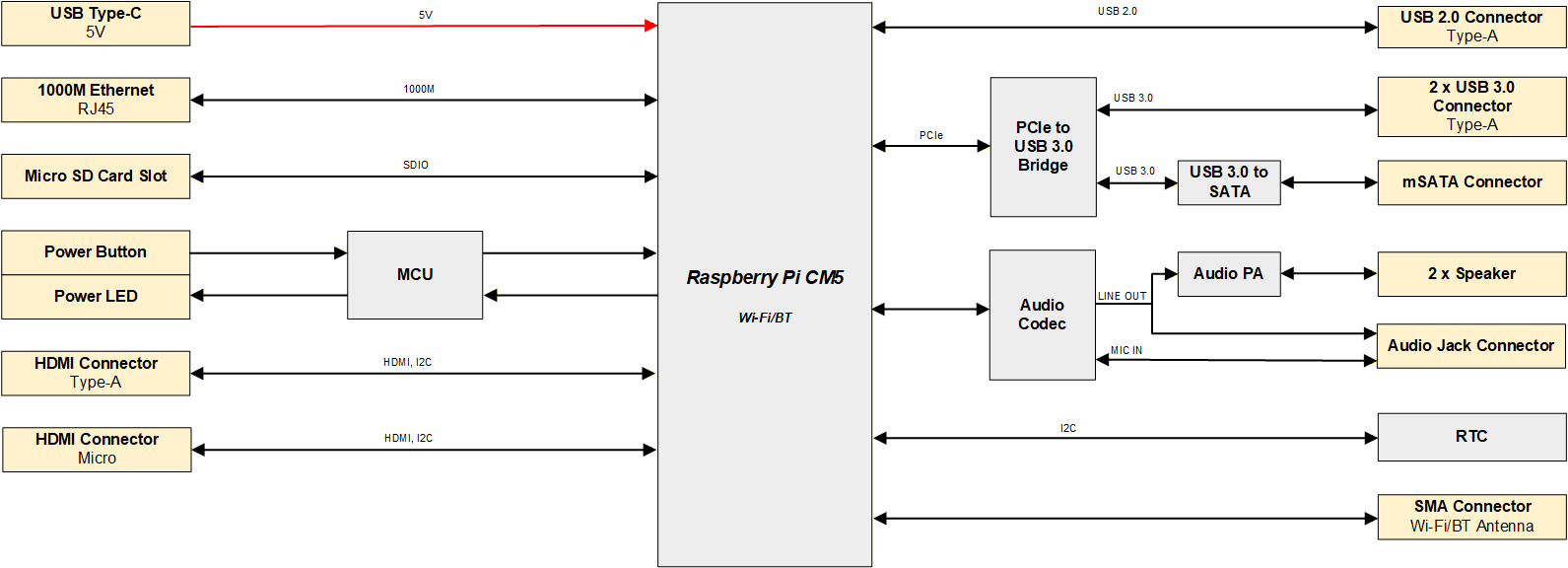
The block diagram places the Raspberry Pi Compute Module 5 at the center of the ED-CLAWBOX. Around it are the 5V USB-C power input, microSD storage, Ethernet, standard and micro HDMI outputs, USB connections, audio hardware, speakers, real-time clock, and external Wi-Fi and Bluetooth antenna. It also shows the internal PCIe path used for USB 3.0 and the mSATA connection.
The short version
A friendly start, with a little housekeeping.
The compact enclosure feels tidy and practical, the external antenna is easy to fit, and our unit reached the Raspberry Pi desktop without drama. The preconfigured image did greet us with a default-password warning, and the first software update was substantial. Neither stopped us, but both belong on the setup checklist.
What we have seen so far
These details describe the unit on our bench. EDATEC may offer other configurations.
Read the review
Review disclosure
EDATEC provided the ED-CLAWBOX used for this review. The company does not determine our observations or conclusions. This is a developing review, and we will update the final chapter after completing our hands-on OpenClaw testing.